Frequently Asked Questions
Answers to common questions about setup, pricing, deployment options, and how Face-Attendance works.
How Face-Attendance Works
This short demo shows how attendance is captured instantly using face recognition.
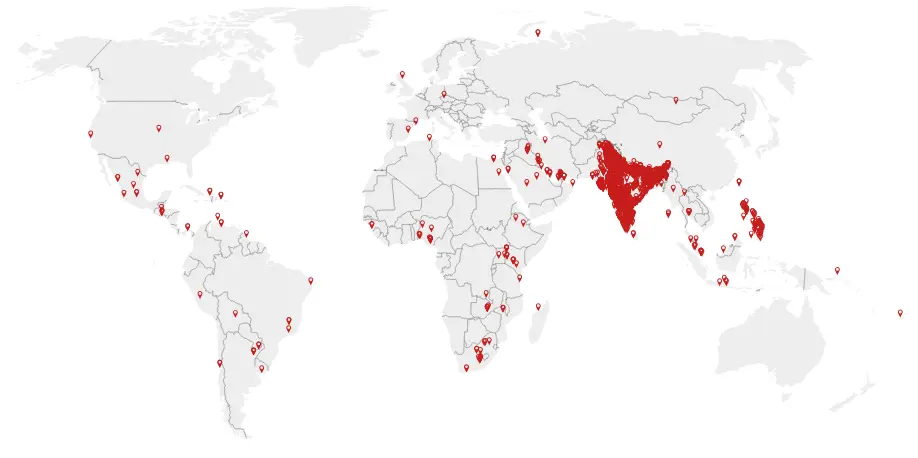
Where Face-Attendance Is Trusted
Used extensively across India, with growing adoption in multiple international locations.
General Questions
If you don’t find what you’re looking for here, you can reach us on WhatsApp at +91 92117 12997 or start your free trial directly from the app.
Offline License works completely on a single device without any cloud sync.
All employee and attendance data remains stored locally and can be accessed through on-device reports.
This is suitable for small organizations operating from a single location.
No backup is available if the device is lost or damaged.
Professional License syncs employee and attendance data with the cloud, ensuring secure backup and easy recovery. Data is automatically restored on a new device if the original device is lost or replaced. It is ideal for organizations with multiple locations or teams requiring centralized access and management.
Premium License includes all Professional features along with advanced controls like geo-fencing, employee self-attendance, anti-spoofing, and optional attendance-time photo sync. This ensures higher accountability and makes attendance records audit-ready. Attendance Log API is available under this license for seamless integration with your HRMS, payroll, or ERP systems.
Face enrollment and attendance capture work fully offline in all license types.
Kiosk Mode turns an Android phone or tablet into a shared attendance device placed at a gate, reception, or site office. Multiple employees mark attendance on the same device without logging in. Location control is based on the device’s geo-fence.
Supervisor Mode is used when a supervisor or site manager marks attendance for their team using their own device. Attendance can be restricted using an optional geo-fence.
Self-Attendance Mode allows employees to mark their own attendance on their personal devices. Each employee is restricted by geo-fences configured for their assigned locations.
License pricing is based on user slabs (for example, 01–09 users, 10–19 users, 20–29 users, etc.). For a full breakdown and examples, please see our Pricing page.
All prices are exclusive of GST. GST at 18% is added to the base amount for both licenses and subscriptions.
We take data privacy seriously. Attendance data and face images are processed only for attendance and related reporting. For offline license deployments, data can remain fully on-device.
For cloud deployments, data is stored securely on our servers with controlled access. We encourage administrators to configure access rights carefully and follow best practices.
For more details, please refer to our Privacy Policy and Terms & Conditions.
Start Your Free Trial Instantly
Download the app, register your team and begin capturing real attendance within minutes.
Download App & Start Free Trial